This feature allows a clinical site to print a label to send a shipment to a laboratory. The clinical site must be able to print a label on a printer. The central laboratory must have enabled the feature and designated the shipping service level.
For more information about Printing a Return Label, contact your laboratory account representative or reach out to us.
Paso 1: Go to the UPS Healthcare® LabLink Page
- Scan the QR code or go to www.ups.com/upp to access the UPS Healthcare LabLink webpage.
- Scroll to “More Options,” and select “Print Return Label.”
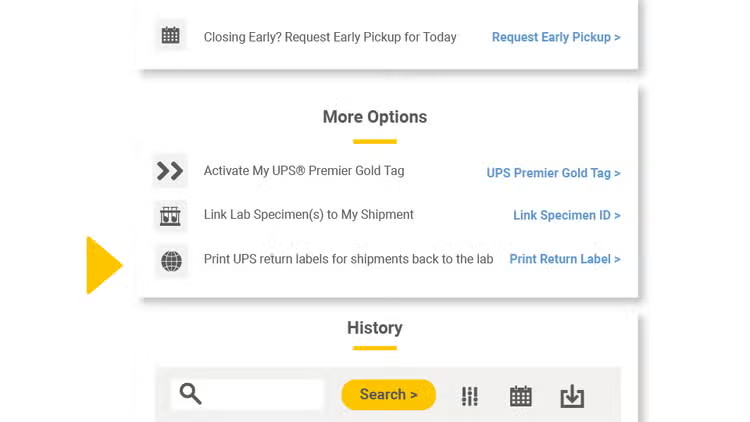
Paso 2: Select the Label to be printed
- Available return labels will be displayed. Please note that there could be more than one lab available.
- Select the Lab to be sent the specimen.
- Click “Continue.”
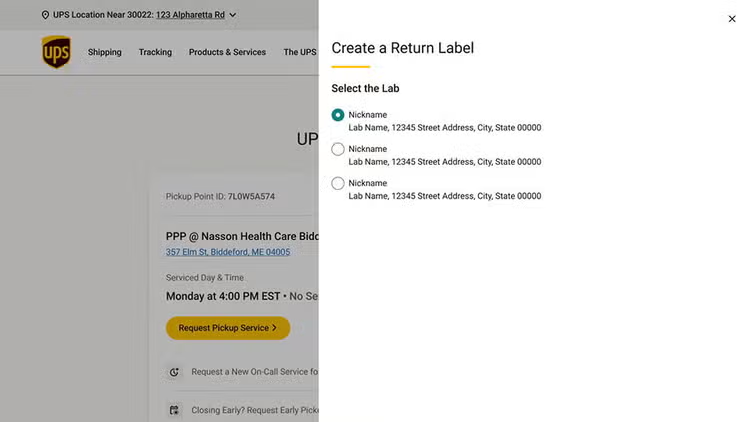
Paso 3: Provide additional details about the shipment
- Additional details may be requested from the laboratory.
- Enter requested information if required.
- Click “Create Return Label.”
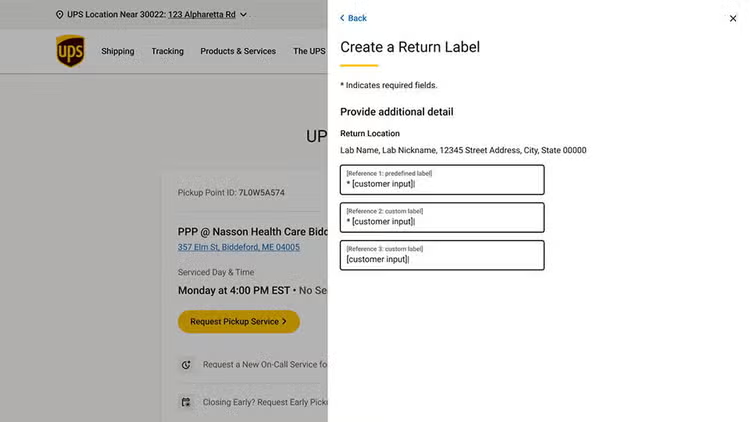
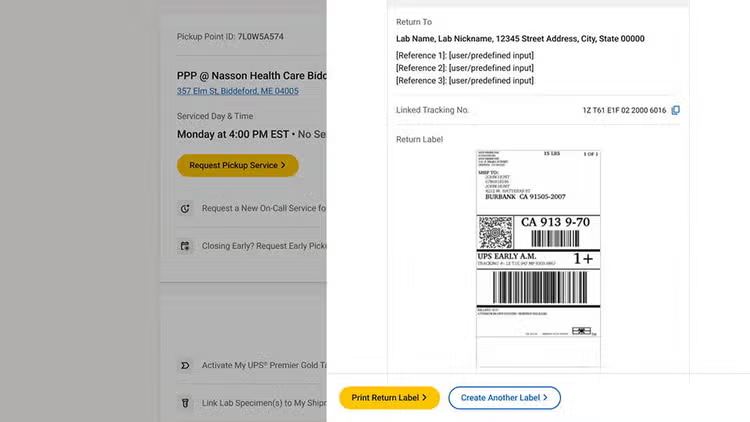
Paso 4: Review and Print
- Select “Print Return Label” and send it to your local printer.
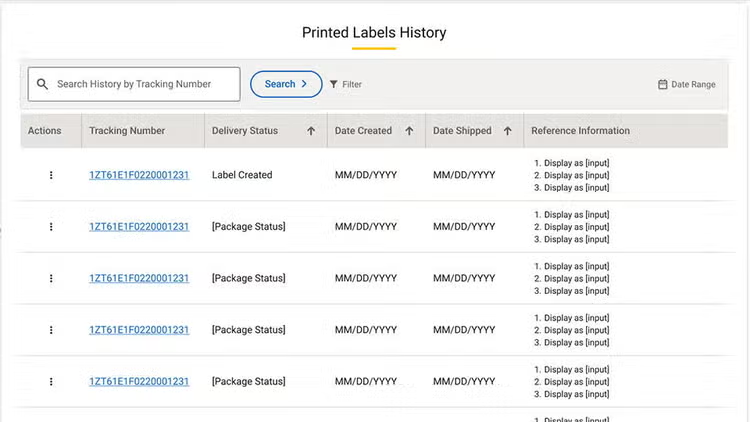
Paso 5: Printed Label History
- Labels generated will be displayed in the “Printed Labels History” section of Lablink.
- “Action buttons” allow the user to reprint or delete a label prior to being shipped.
- History shows date printed, date shipped, and status.
More Resources
¡Felicidades! You’ve successfully printed a label for sending specimens to the lab.
¿Desea obtener más información? Check out: